The best travel apps: the ones actually on my phone after 6 years on the road
 Mika Soren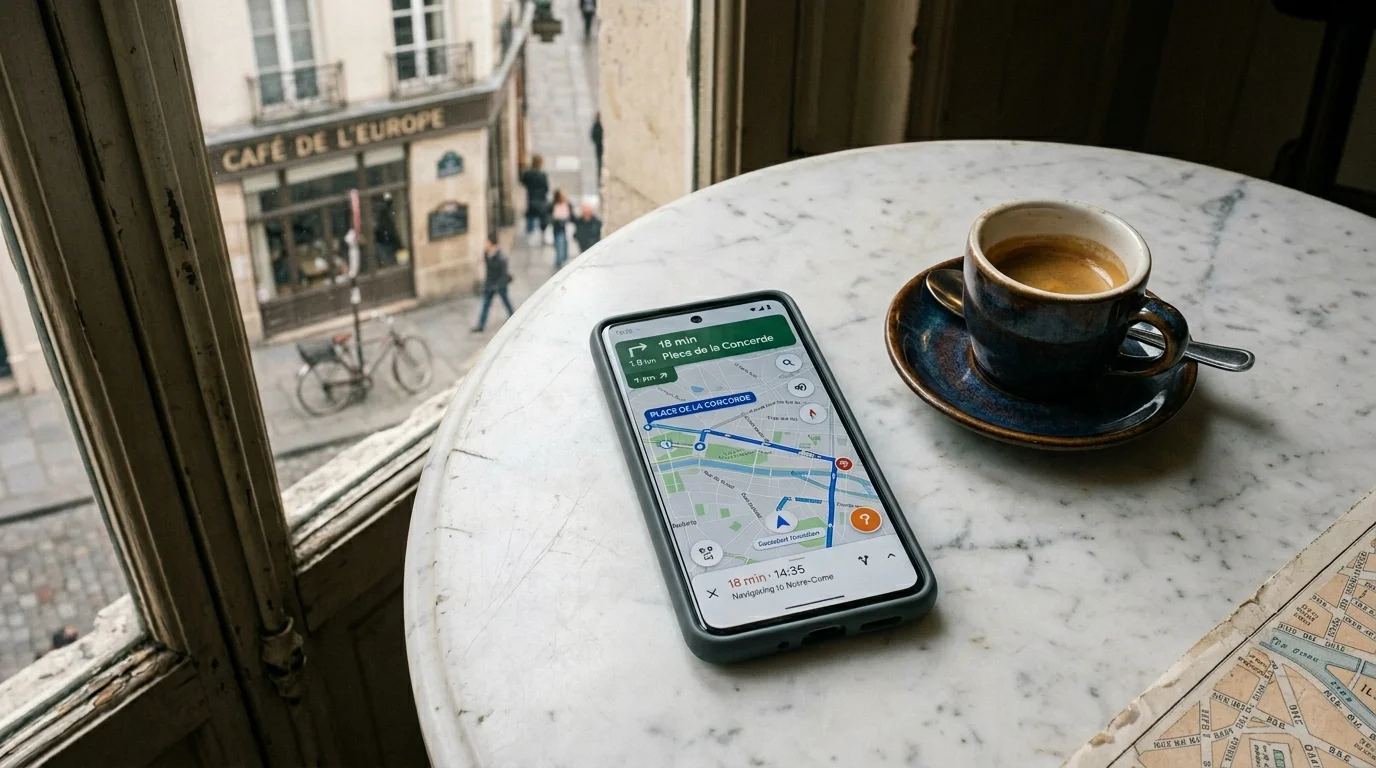
At some point in my first year of full-time travel, I had 47 apps installed on my phone that were all loosely categorized in my head as “useful for travel.”
I used about nine of them regularly. The rest were things I’d downloaded based on a recommendation blog post, opened once, and forgotten. There was an app specifically for finding free wifi hotspots (superseded by having actual data, which it turns out is better than a hotspot map). There was a currency converter I hadn’t opened since 2020 because my banking app does this automatically. There was a packing list app I used for exactly one trip before reverting to a Notes file.
This is the list I’ve arrived at after the winnowing. The apps that are genuinely on my phone, that I use constantly, and that have made actual differences in how I travel.
Navigation
Google Maps is the foundation. Offline maps (download before you land while you’re still on wifi), transit directions in most cities, walking navigation, restaurant discovery, saved places you can access offline. The offline map is the critical piece: select the area you’re visiting, hit download, and Maps works fully without internet. Do this at your accommodation before going out, not on the side of a road with no service.
Japan note: Google Maps is excellent in Japan, better than almost anywhere, including real-time train delays.
China note: Google Maps does not work in China. It’s blocked. Use Gaode Maps (Amap) in Chinese or Baidu Maps. Both require some navigation of a Chinese-language interface but work well. Download before crossing the border.
India note: Google Maps works but can give you routes in cities that don’t account for actual traffic conditions. For cities like Delhi, Mumbai, and Bengaluru, build in more time than Maps suggests.
Maps.me is the offline-first alternative for more remote destinations. It uses OpenStreetMap data, which covers hiking trails, rural roads, and areas that Google Maps doesn’t detail well. I use it alongside Google Maps when I’m going somewhere without reliable data coverage.
Citymapper for urban transport. Better than Google Maps for navigating public transport in the cities it covers (London, Paris, New York, Tokyo, Sydney, Berlin, and dozens more). It knows about bus stops, real-time departures, bike share stations, and connections that Google Maps sometimes misses. If you’re spending significant time in a major city, download it before you go.
Translation
Google Translate with the camera feature. Point your camera at a menu, a sign, a label, and it overlays a translation in real time. This is one of the genuinely transformative things a smartphone does for travel. Works on menus in Japan, signs in Russian, Arabic script, Thai script (and Thai script is HARD to read even if you’re studying the language). Download the language pack offline before you land.
For Japanese: also download Google’s Google Lens separately if it’s not on your phone, and get familiar with how it handles kanji. Machine translation for Japanese has gotten dramatically better in the past three years.
Papago over Google Translate for Korean and Japanese. It’s made by Naver (the Korean Google equivalent) and handles those languages with noticeably better nuance, especially for context-dependent phrases. Korean particularly benefits from Papago.
Pleco if you’re spending time in China. It’s a Chinese-English dictionary app that handles both simplified and traditional characters, has excellent handwriting input (draw the character when you can’t type it), and works fully offline. Paid features are worth it for extended China travel.
Flights and accommodation
Google Flights. Not a booking app, a search app. The calendar view (select flexible dates) shows you the cheapest days to fly across a full month. The price history graph tells you whether the current price is high or low relative to what it’s been. The fare alerts let you set a target price and get notified. I use this to find the flight, then book directly with the airline to avoid booking fee layers.
Skyscanner for cheap flight discovery and for routes Google Flights doesn’t show well (particularly budget carriers in Southeast Asia and Central America). Its “everywhere” destination option lets you search from your city to anywhere and see the cheapest destinations for a given date range. Very good for “where can I go for $300” type questions.
Booking.com for accommodation. Largest inventory globally, free cancellation filters, actual verified reviews. The map search view (filter by neighborhood, sort by price) is better than most competitors. I also use it for guesthouses and locally-owned accommodations, not just hotel chains.
Hostelworld specifically for hostels. Booking.com has hostel inventory but Hostelworld’s reviews are from specifically hostel-experienced travelers and the rating system is calibrated for what hostel travelers care about (atmosphere, kitchen access, social vibe, cleanliness of dorms). More useful signal for that category.
Transport on the ground
Rome2rio. Type any two places in the world and it tells you every transport option between them: flight, train, bus, ferry, drive, with approximate cost and duration. It’s how I work out the logistics of a multi-country trip before booking anything specific. Not a booking platform, a planning tool.
Trainline for European rail. Covers 45+ European rail networks, books tickets in one place, and holds your tickets offline. Useful if you’re moving around Europe by train and don’t want to navigate each country’s national rail booking site separately.
12Go for Southeast and South Asia train/bus/ferry bookings. Covers Thailand, Vietnam, Indonesia, India, Sri Lanka and others. Not always the cheapest (markup over direct booking) but saves significant time compared to navigating separate local booking systems that may only be available in local languages.
Grab for Southeast Asia transport. The regional ride-share app covering Singapore, Malaysia, Thailand, Indonesia, Philippines, Vietnam, and more. Works like Uber, cashless, fixed price before you book. Significantly better for tourists than negotiating with metered taxis in markets where meters are routinely “broken.” Download it before you arrive.
Bolt for Europe and Africa. Cheaper than Uber in most European cities where it operates, same functionality. Also expanding into East and West Africa.
DiDi if you’re in China. Uber doesn’t operate in mainland China. DiDi is the equivalent and has an English language option in the app. Set up the payment method (international cards now work via a verification process) before you need it.
Money and banking
Wise. Multi-currency account, Wise Mastercard debit card, mid-market exchange rate (genuinely good), low transfer fees. Works in most countries. Get the card before you travel, it’s an absolute baseline travel item. Cheaper than using your home bank card abroad in almost every scenario.
Revolut. Similar to Wise, popular in Europe, has some features Wise doesn’t (cryptocurrency, stock trading if that’s relevant). Free tier has monthly limits on fee-free ATM withdrawals; paid tiers remove them. Good option alongside Wise for redundancy.
XE Currency. The reliable currency converter when your brain stops working after a long flight and you can’t remember how many Moroccan dirham make a euro. Works offline with last-known rates. Straightforward.
Communication
WhatsApp is the global default outside the US. Most of the world communicates on it. It handles text, voice, video, and it works over wifi, which means you can call home for free on any wifi connection. Share your live location via WhatsApp with someone at home for passive safety tracking on solo trips.
Signal if privacy is a concern. Same functionality as WhatsApp, end-to-end encrypted, no ads, no Facebook data sharing. I use Signal for certain communications and WhatsApp for broad contact access.
Telegram is more popular than WhatsApp in Russia, parts of Eastern Europe, Iran, and some other markets. If you’re visiting those regions and want to communicate with locals, you may find Telegram is the app they’re on.
Data that works: Every communication app on this list requires data. This is why sorting your connectivity before you land matters. I’ve covered the eSIM options for most countries I visit. Thailand is a good place to start if you want to see what the comparison looks like. An eSIM set up before landing means WhatsApp works from the moment you clear immigration.
Offline entertainment for long flights and transit
Spotify with offline downloads. Download playlists and podcasts before you board. Long-haul flights have wifi sometimes, unreliable and expensive wifi often, no wifi regularly.
Netflix with offline downloads. Same principle. Select your show/film, hit download, have it without streaming. Storage fills up fast on longer trips; the automatic download quality setting matters.
Kindle app. I read more on the Kindle app during travel than I do at home. Long waits, early mornings at airports, train journeys. Download books before you board.
Safety and emergency
Maps offline (Google Maps and Maps.me): Redundancy matters. If Google Maps fails or you’re somewhere it doesn’t work well, Maps.me is the backup.
TripWhistle Global SOS. This is the one app I have that I hope I never need. It stores the emergency numbers for every country (police, ambulance, fire), works offline, and shows your GPS coordinates in a format usable for emergency dispatch. Free. Takes thirty seconds to download. Worth having.
Smart Traveller or your government’s equivalent. The Australian government’s Smart Traveller app, the UK’s FCDO travel advice app, the US State Department’s STEP program. These push safety alerts for destinations you’ve registered. Registration also means your government knows you’re in a country if there’s a major incident.
The apps I deleted
TripAdvisor. The reviews have been so thoroughly gamed by the industry that the signal-to-noise ratio in popular tourist destinations is very low. I now use Google Maps reviews (harder to game, attached to real Google accounts) and specific community sources instead.
Free wifi finder apps. Data is cheap enough, via eSIM or local SIM, that hunting for wifi hotspots is less useful than just having data. Also: connecting to unknown public wifi networks in tourist areas has genuine security considerations. Your data plan is more private.
Most airline apps beyond booking management. I book directly, save the PDF boarding pass, and open the airline app only if there’s a delay notification I need.
The phone in your pocket is the most powerful travel tool that has ever existed. You just don’t need 47 apps to prove it.
More on travel apps & tools